Cheat for Blood StrikeTOP
300likes
A
admin
Jul 23, 20261318 views
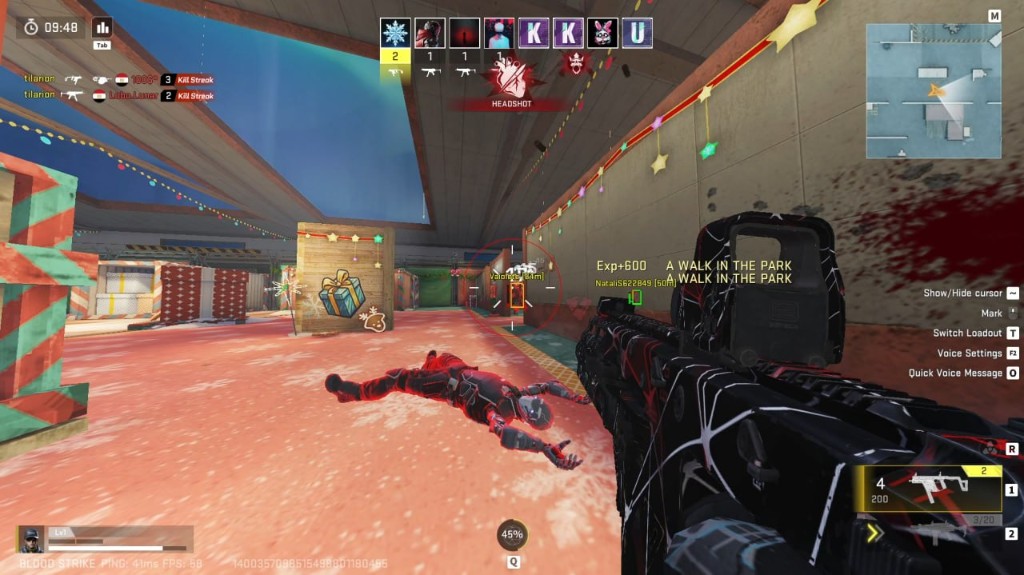
Cheat for Blood Strike — Steam and Global.
Platforms: Steam · Global
Windows 10: all builds
Windows 11: 21H2, 22H2, 23H2
Menu language: English
Spoofer / USB stick / BIOS: not required
No special hardware needs: Intel and AMD, NVIDIA and AMD. OS — Windows 10 (21H2 and 22H2) or Windows 11 from 21H2 to 23H2.
Launch: run the game windowed or borderless. Exclusive fullscreen will not draw the overlay — set the mode before entering a match.
Screen capture is bypassed: the overlay does not appear in OBS or Discord stream. No spoofer, USB stick or BIOS edits.
The key is sent to the email left at payment. If the client ships an update, the build may be frozen briefly until it is checked.
— ESP —
2D boxes on the silhouette. Full skeleton: 18 bones, head → neck → spine → limbs. Skull — filled circle with outline on the spine axis, dead-centre on the visible head. Snap lines from the bottom of the screen to every enemy. Distance in metres under the box. Colours, thickness, skull radius, skull lift and head padding — all separate.
Out-of-FOV arrows: triangles around the crosshair for enemies off-screen or behind you; angle is camera-space, full 360°. Long-range draw scales with real distance and FOV — enemies do not vanish behind a “95 m wall”.
Bone fallbacks: box top head → neck, bottom both feet → one foot → pelvis; a partially streamed actor still gets a clean box. If no bones stream at all — entity transform is projected and box size comes from distance + camera FOV; the actor does not disappear.
Default palette: box green, skeleton white, snap purple.
— Aimbot —
8 bones: head / neck / chest / pelvis / hand L / hand R / foot / nearest. Target select: closest to crosshair (default) or closest in metres. Both still gate on the FOV cone.
True skull: “Head” lands on the visible skull, not the jaw bone (in Messiah the head bone sits at the chin — aim lifts to the centre of the drawn circle). “Nearest” evaluates every key bone per entity and snaps to whichever is closest to the crosshair, lifted skull included.
FOV 1°–90° with on-screen cone. Smoothing 1.0 (instant) to 10.0 (soft). LMB and/or RMB hold — independent. Focus gate: only runs when the game or our menu is foreground; alt-tab to Discord / Task Manager — cursor stays put. Clicks inside the menu never trigger aim. If the chosen bone fails this frame, it falls back to the next sensible one (head → neck, chest → Spine1 → Spine3, and so on).
— HUD / visuals —
Animated watermark top-left, hue-cycles through the LianFlow violet band, always on. Optional FPS and STEAM / GLOBAL build tag inside the watermark. Live entity count.
Radar: circle top-right, camera-relative — “up” is always your heading. Inner half-range ring and axes for depth. Dots clamp to the rim so distant targets stay visible. Size 120–480 px, range 50–800 m (300 m default), dot radius, background / ring / enemy colours — all live.
— Menu —
LianFlow sidebar, dark palette, three tabs: ESP / Aimbot / Visuals. Drag the header to move the panel. INSERT toggles, closed by default. Closed — clicks go to the game. Open — we strip WS_EX_TRANSPARENT, close — restore it. Every threshold (FOV, smoothing, head padding, skull radius / lift, thicknesses, colours) is editable mid-match.
— Hotkeys —
INSERT — menu
LMB / RMB — aimbot (both customisable)
DELETE — clean quit
— Defaults on launch —
The moment the overlay reports ready, without opening the menu: ESP master, boxes, skeleton + skull, snap lines, out-of-FOV arrows, distance, aimbot (head, closest to crosshair), FOV cone, 300 m radar, watermark + FPS + build tag. Menu closed — INSERT.
Download software